
Service for stores
Electronic shelf label deployment: from a written offer to going live in the store
This page describes how electronic shelf labels are deployed in a store: survey, base stations, mounting on shelves, pairing with products, software, test run and staff training. You also learn what the store prepares and what happens when something fails.
Updated: November 2026
Electronic shelf label deployment: the direct answer
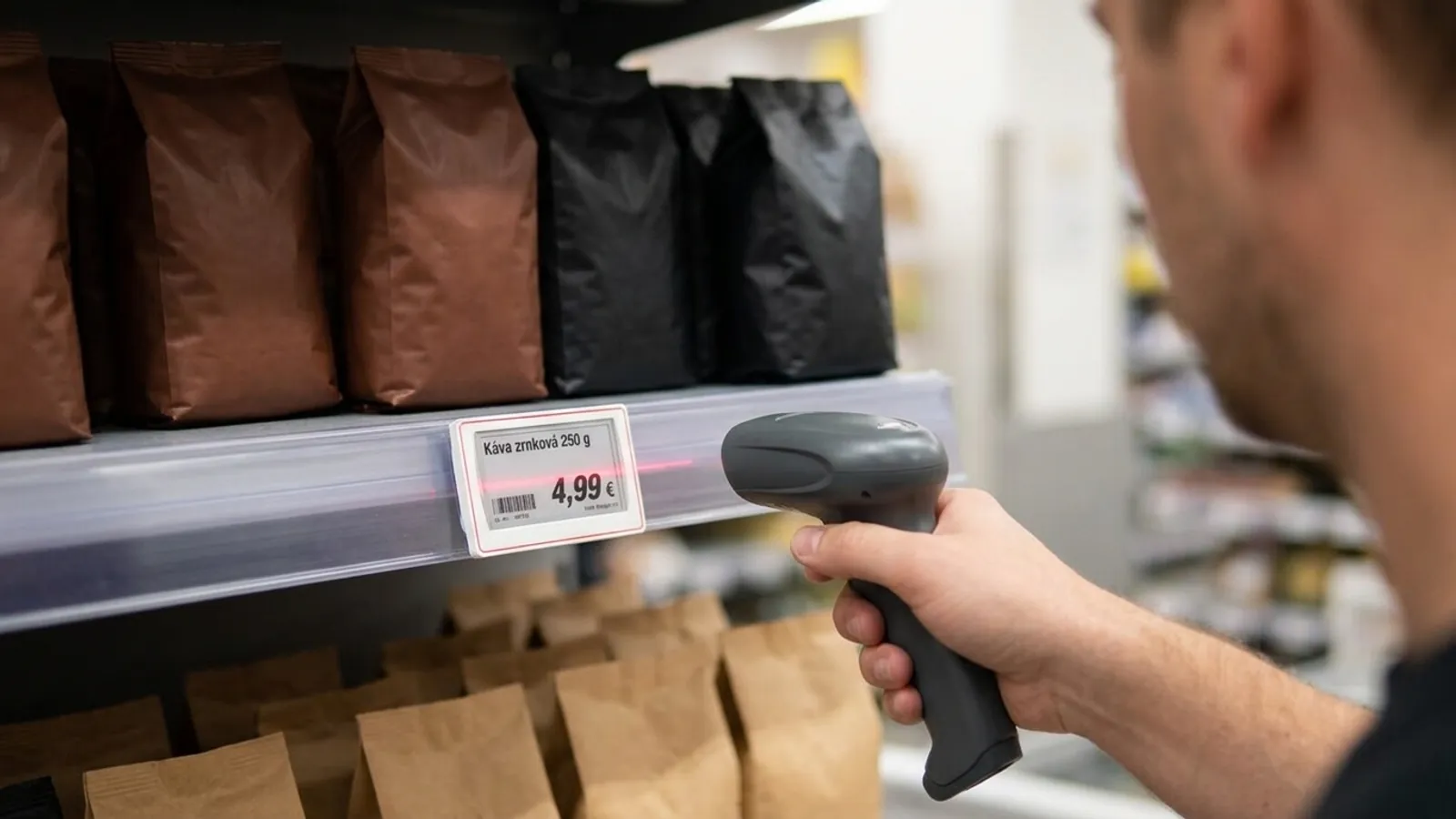
Deploying electronic shelf labels means that Grew Studio supplies and installs base stations, that is, devices that rewrite the labels over radio, fixes the labels to shelf edges and pairs every label with a product. It then sets up how the label looks and connects the software to the system the store already uses.
An electronic shelf label is a small e-paper display, similar to the screen of an e-book reader, that replaces the paper price tag on the shelf edge. You change a price once in software and the base station sends it to the labels. The labels themselves and their prices are on the page Electronic shelf labels.
Grew Studio supplies hardware together with installation and custom software. We do not change your till or stock system, the labels connect to the system you already have. The price of the services depends on the location, the size of the store and the number of labels, and is part of a written offer.
How the work goes
Work starts with an intro call, which you arrange on the contact page, and continues with a written offer that sets out the scope.
- 1Intro call. We talk about what store you have, which shelves and cooling equipment it contains and in which system you keep your item list.
- 2Written offer. It lists what we deliver and what you provide. The price of services depends on the location, the size of the store and the number of labels.
- 3Store survey. We walk through the shelves, the cooling equipment and the places for base stations, as described below.
- 4Deployment. Mounting, pairing, the label template, the connection, a test run and training.
Store survey and placing the base stations
Before mounting we walk through the store and the shelf edges. A base station goes on the ceiling or a wall and needs a network connection and power. For some models, according to the data sheet, one network cable is enough to carry both data and power (PoE).
The order is fixed: first the network and the radio signal, only then mounting the labels. Trade articles advise measuring radio signal strength before mounting and validating the network end to end. We set the number of base stations by the store.
- Back walls and corners are places with weaker coverage, so we test them separately.
- We check coverage when the shelves are stocked and the store runs as usual.
- Old cabling is a frequent cause of faults. So we check what is already installed and label network ports and cables so that a fault is found faster.
- We power each base station from one source. One maker's manual warns against connecting the network cable and the power cable at the same time because of the risk of failure or fire.
- One maker recommends setting a label up in the store itself, because otherwise its connection to a base station can take longer. So we do the first setup in the store.
Mounting labels on shelves and in cold areas
According to a supplier of shop fittings, labels in grocery stores can mostly be fixed to existing shelves later, without replacing them. Rails, clips, adhesive holders or suction mounts are used. We choose the method separately for each part of the store.
We handle cold separately. According to manufacturers' data sheets, standard labels are made for room temperature, for example 5 to 40 °C.
Freezer versions also exist, for example with a range of -25 to 25 °C, and they may be black and white only. Cold also shortens battery life.
We set the model and the mounting in a freezer in the offer. The test run includes the cold departments, because a test only in dry aisles checks the easier case.
- Wire shelves: clips that wrap around the front bar and do not slip.
- Glass shelves: clear holders with an adhesive layer that do not block the view.
- Metal surfaces: magnetic mounts, especially if the layout changes often.
- Hooks on pegboard walls: an adapter that hooks onto the peg.
- Chilled cabinets: ratcheting clips that adjust to the different heights of wire shelves.
- Exposed places: lockable hinged rails. Hinged rails and quick-release clips also let you swap a battery without taking down the whole strip.
Pairing, the label template and the connection to your item list
Pairing means assigning a product to each label. First the label code is read, for example by holding a phone to the label, and then the product barcode, that is, the EAN.
If a product has no barcode, you can pick it by name or code. The product must already be in the list. According to one system's help page, a label refreshes within a minute at most after pairing, depending on signal strength.
The template is how a label looks: name, price, unit price and barcode. The price on the label is also something the law regulates. The Slovak Price Act (No. 18/1996 Coll., section 15(1)) says goods must be marked at sale with the price valid at the time of the offer, by a price tag or another appropriate way.
The Consumer Protection Act (No. 108/2024 Coll., section 6(1)) requires the selling price and the unit price in an unambiguous and easily legible way. A price reduction notice must state the previous price (section 7(1)).
This is information, not legal advice. The current text is on slov-lex.sk, the official collection of laws. We compared the version of Act No. 108/2024 Coll. effective from 20 November 2026, and sections 6 and 7 do not change in it. Please still confirm the current text on slov-lex.sk.
We found no special rules for electronic shelf labels in the sources we opened, so the same applies to them as to a paper tag.
A software vendor's guidelines advise the largest type for the regular price, a contrast of at least 4.5 : 1, at most two typefaces and a 20 % margin. You can try a layout in the price tag generator.
The label software takes prices from your item list. According to one reseller's overview there are four routes: an interface, that is, a way for programs to exchange data (API), a custom integration, a ready-made integration and uploading a data file.
A file is the simplest when an interface is not possible, and an interface requires the store system to have an accessible API. We find out which route fits by looking at your system. Custom software is the same kind of work as in application development.
Test run, training and daily work

Before full launch we test the whole chain: the pricing system, the label software, the wireless network, the label, its place on the shelf, the employee and the shopper. We then train staff on pairing, moving products, promotions and changing a battery. The form of the training is set in the offer.
Normal work after launch:
- New product: add it to the list, take a new label, read its code and the product EAN.
- Moved product: the label moves with it. A label left in its old place shows the price of a product that is no longer there. A new pairing overwrites the old one.
- Discontinued product: remove the label and check regularly that nothing on the shelf is missing or does not belong.
- Promotion: set its start and end and state the previous price for a price reduction. A configuration error reaches the labels just as far as a correct change would, so you check it before launch.
- Label position: shoppers' reactions in a Czech news article show that a label above the product instead of below it annoys them. These are three interviews and comments, not a survey, so we place the label below the product.
Base station or network failure and battery replacement
According to a display maker an e-paper display keeps its last image without power. How a specific model behaves after losing contact is set by its documentation, and we state it in the offer.
An old manual of one maker says a label seeks another base station in range after a few minutes without contact. Service handles the fault, and the service terms are in the offer.
Batteries are replaced by service or by the store, as agreed in the offer. Battery life always depends on display size, battery type, number of updates and temperature. Some models have a built-in battery, and then the whole label is replaced.
| Label according to the data sheet | Battery life | Conditions from the data sheet |
|---|---|---|
| 2.1-inch display, two coin cells | about 5 years | 2 updates a day, room temperature |
| 2.6-inch display, replaceable coin cells | 5 years | at most 4 updates a day |
Scroll the table sideways.
Who does what and what the store prepares
The split of work between the store and Grew Studio is fixed in the written offer. The basis is this:
- The store prepares an item list with EAN codes, best as a table or an export from the system. A product that is not in the list cannot be paired.
- The store provides network cables and power where the base stations will be, and access to the store network.
- The store prepares a list of shelf types, chilled cabinets and freezers, and their edges where the labels will go.
- The store names a contact for the person who manages the network and the item system.
| Task | Store | Grew Studio |
|---|---|---|
| Item list with EAN codes | Prepares it and keeps prices and codes correct. | Helps check and load the list. |
| Network and power | Provides access to cables, sockets and the network. | Sets the number and places of base stations and supplies them. |
| Mounting rails, holders and labels | Opens up the shelves and cooling equipment. | Mounts the rails, holders and labels. |
| Pairing at deployment | Says which product belongs where. | Pairs the labels with products. |
| Connection to the item list | Provides a contact for the system administrator and an export or interface. | Prepares the software and the connection. |
| Test run and training | Involves staff and checks prices on the shelves. | Leads the test and the training. |
| Daily worknew product, move, promotion | Done by store staff. | Service as set in the offer. |
| Failures and batteries | Reports the fault. | Handles it as part of service, as set in the offer. |
Scroll the table sideways.
Where the data on this page comes from
We read the statements about technology and law in the sources on 18 November 2026. Where the law is concerned this is information, not legal advice. Sources:
- Act No. 18/1996 Coll. on prices, text valid from 1 January 2026 (Slov-Lex)
- Act No. 108/2024 Coll. on consumer protection (Slov-Lex)
- Vista Support, the hidden infrastructure behind the shelf
- Minew, deploying electronic shelf labels
- Kinter, shelf labels and grocery fixtures
- Kinter, shelf label rollout in small stores
- Kinter, electronic shelf label rollout
- Vori, linking a product to a label
- SOLUM, setting up shelf labels
- Future Shelf, connecting shelf labels to store systems
- PDI Technologies, shelf label design guidelines (PDF)
- Crystalfontz, an e-paper display with zero power
- Data sheet of a 2.1-inch label (Opticon)
- Data sheet of a freezer label (Dahua)
- Data sheet of a base station (Dahua)
- Manual of a label gateway (LG)
- Manual of shelf labels (Opticon)
- Arecenze.cz, shoppers' reactions to electronic shelf labels
Frequently asked questions
01How much does deploying electronic shelf labels cost?
The price of services depends on the location, the size of the store and the number of labels, and is part of a written offer. The prices of the labels themselves are on the page Electronic shelf labels.
02How long does deployment take?
We do not promise a fixed time, because it depends on the size of the store, the shelf types and the state of the network. You receive the procedure and scope in a written offer after the intro call.
03Do I have to replace my shelves?
According to a supplier of shop fittings, labels in grocery stores can mostly be fixed to existing shelves later with rails, clips, adhesive holders or suction mounts. The holder is chosen by shelf type and label model.
04Do the labels work in freezers?
Standard labels are made for room temperature, for example 5 to 40 °C according to a data sheet. Special freezer versions exist with their own temperature range. We set the model and the mounting in the offer.
05What happens when a base station or the network fails?
According to a display maker, e-paper keeps its image without power. We state the behaviour of the specific model after losing contact in the offer, and service handles the fault.
06How is a label paired with a product, and what if it has no barcode?
The label code is read, then the product barcode. If it has none, you can pick the product by name or code, but the product must already be in the list.
07How often are batteries replaced and who replaces them?
Data sheets state, for example, about 5 years at 2 updates a day and room temperature (a label with a 2.1-inch display). Life depends on the model, the number of updates and the temperature, and the offer sets who does the replacement.
08Is the price on an electronic label legally correct?
The duties for a label are the same as for a paper one: the price valid at the time of the offer (section 15(1) of Act No. 18/1996 Coll.), the selling price and unit price (section 6(1) of Act No. 108/2024 Coll.) and the previous price for a price reduction (section 7(1) of the same act). This is information, not legal advice.
You might also like
Want electronic shelf labels in your store?
Tell us what store you have. You receive a written offer that sets out the scope and the price of the services.