
Custom hardware and software
Self-checkout and self-ordering kiosk: device, software and a link to your cash register
A kiosk is a touch screen that a customer uses alone. Below you find the kinds of kiosks, what they consist of, what the software must do, which Slovak rules apply to payments and accessibility, and what to prepare on site.
Updated: November 2026
Self-checkout and self-ordering kiosk: the direct answer
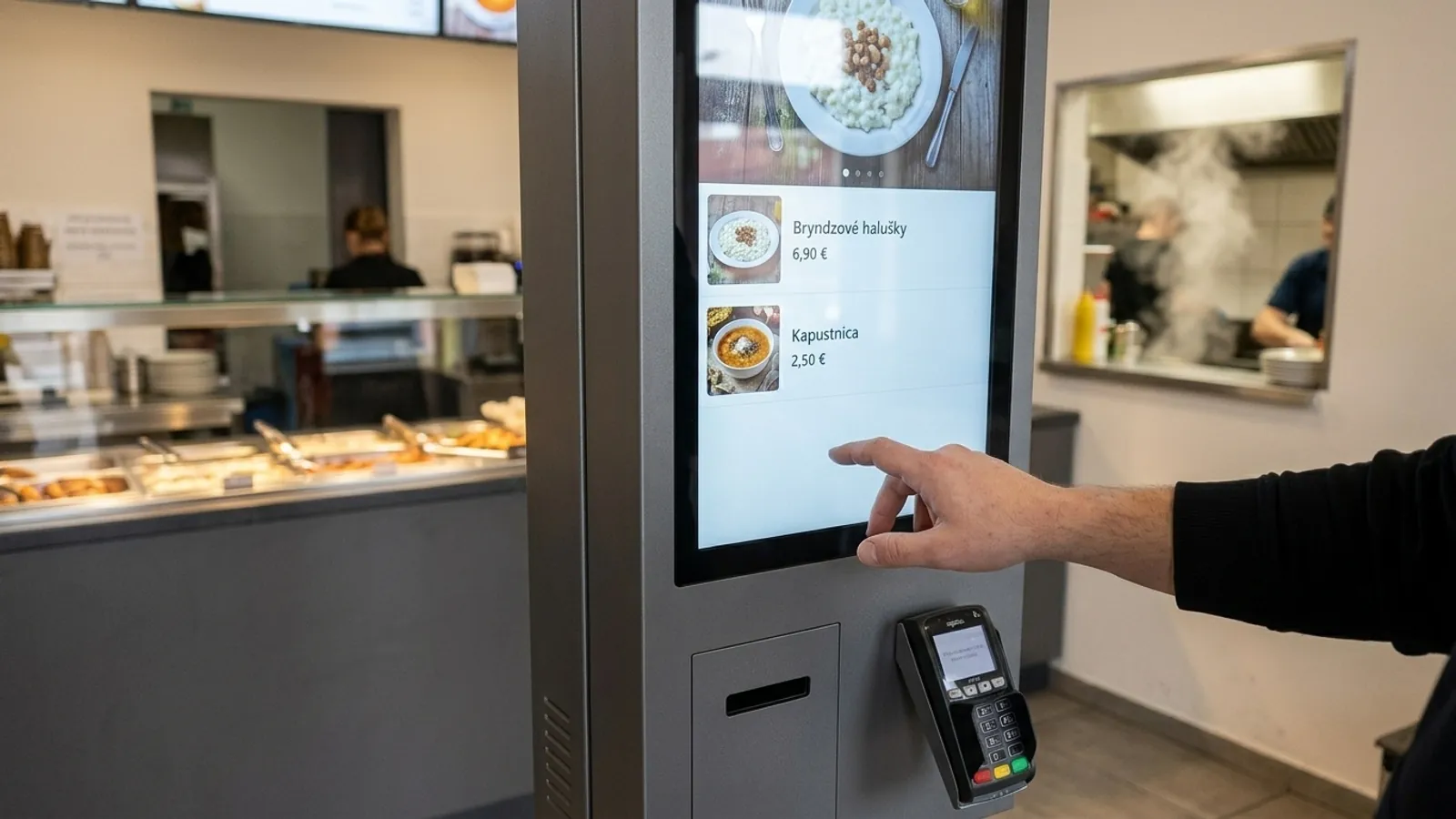
A self-checkout is a touch screen with a barcode scanner and a payment terminal, where the customer scans the goods and pays alone. A self-ordering kiosk works in a similar way, but the customer picks dishes and the order goes to the kitchen.
The device is only half of the solution. The other half is the software on the screen and its link to the cash register or ordering system the business already uses. For payments you have to think about recording sales through eKasa, about card payment and, since 28 June 2025, about accessibility rules.
Grew Studio supplies the device, custom software and installation, and connects the kiosk to the cash register you already have. We do not sell cash registers or their software. We do not publish a price: you receive the concrete device set-up and the price in a written offer, after we know the premises and what the kiosk should do.
Kinds of kiosks and where each fits
One supplier guide divides kiosks into information, transactional, check-in, ordering, specialty and retail. For an ordinary business four jobs are enough.
- Self-checkout in a shop: the customer scans the goods, pays by card and takes a receipt. It fits where you already have a cash register and want customers to be able to pay alone.
- Self-ordering in gastro: the customer picks dishes on the screen, pays, and the order goes to the kitchen. It fits a restaurant, a snack bar or a cafe. The website for such a business is described on the page websites for restaurants.
- Information and wayfinding: a screen in a lobby, office, clinic or shopping centre that shows a directory, a map and forms. No payment is needed. If a screen only shows content and nothing can be done on it, it is digital screens in a shop.
- Check-in: a guest or patient registers alone on arrival, for example at a hotel, a clinic or an event. If the customer should get a queue number, a queue management system fits better.
What a kiosk consists of
A kiosk is a small computer in a sturdy housing that the customer operates by touch. According to manufacturer and supplier guides it has these parts:
- A touch screen. One supplier's overview gives 10 to 15 inches for countertop kiosks, 21 to 24 inches for counter and pedestal kiosks, 27 to 32 and 43 to 55 inches for floor-standing and over 55 inches for large format. It is a market overview, not our offer.
- A barcode and QR scanner, which a self-checkout usually has and an information kiosk does not need.
- A payment terminal. According to one manufacturer's data sheet it is a separate device mounted in a bracket on the kiosk. Terminals made for use without staff exist.
- A thermal receipt printer, one that prints with heat on paper, without ink.
- A housing as a floor stand, a countertop version or a wall mount.
What software a kiosk needs and what it connects to
The software decides whether the customer manages the kiosk and whether the sale reaches the place it should. Grew Studio writes it as custom software, like custom applications. According to one supplier's guide to kiosks and their software, the following is handled:
- Lock-down mode: the kiosk runs as the only application, the customer cannot reach the desktop or the task manager, USB is disabled and the application restarts itself after a crash.
- Remote management: restart, content update and scheduled maintenance without a trip to the premises. Suppliers recommend a secured connection through VPN or SSL, that is an encrypted channel.
- A link to the cash register: ordering software typically takes products and prices from the cash register, returns every order to it and can send it to a kitchen screen.
- A link to the payment terminal: the sales system and the terminal usually talk to each other by the nexo standard, which sets the same messages for different terminals and banks.
Payments and eKasa in Slovakia
The points below are a selection from the texts of laws and from the Financial Administration website, which we read on 18 November 2026. It is information with sources, not legal advice.
- Recording sales: since 1 January 2026 Act No. 384/2025 Z. z. applies, which repealed Act No. 289/2008 Z. z. Under section 3(1) the seller must record the takings in the eKasa system through an eKasa cash register without undue delay after receiving them.
- Three types of eKasa cash register under section 2(b): an on-line cash register, a software on-line cash register and a virtual cash register. A kiosk from us is not a cash register. It hands the sale to the cash register you already have.
- Exemption: section 3(2) exempts sales through vending machines. We found no source saying that a self-checkout or a self-ordering kiosk in a staffed business counts as a vending machine. We therefore do not count on the exemption, and if you rely on it, ask the Financial Administration.
- Card payment: under section 15(1) the seller must allow cashless payment for takings above 1 euro, from 1 May 2026. The duty does not apply to a seller with a deferral under section 4, or when no internet signal is available or the technical equipment fails. According to the Financial Administration this covers payment by card, wearable device, mobile and QR code through a payment terminal.
Accessibility of self-service terminals
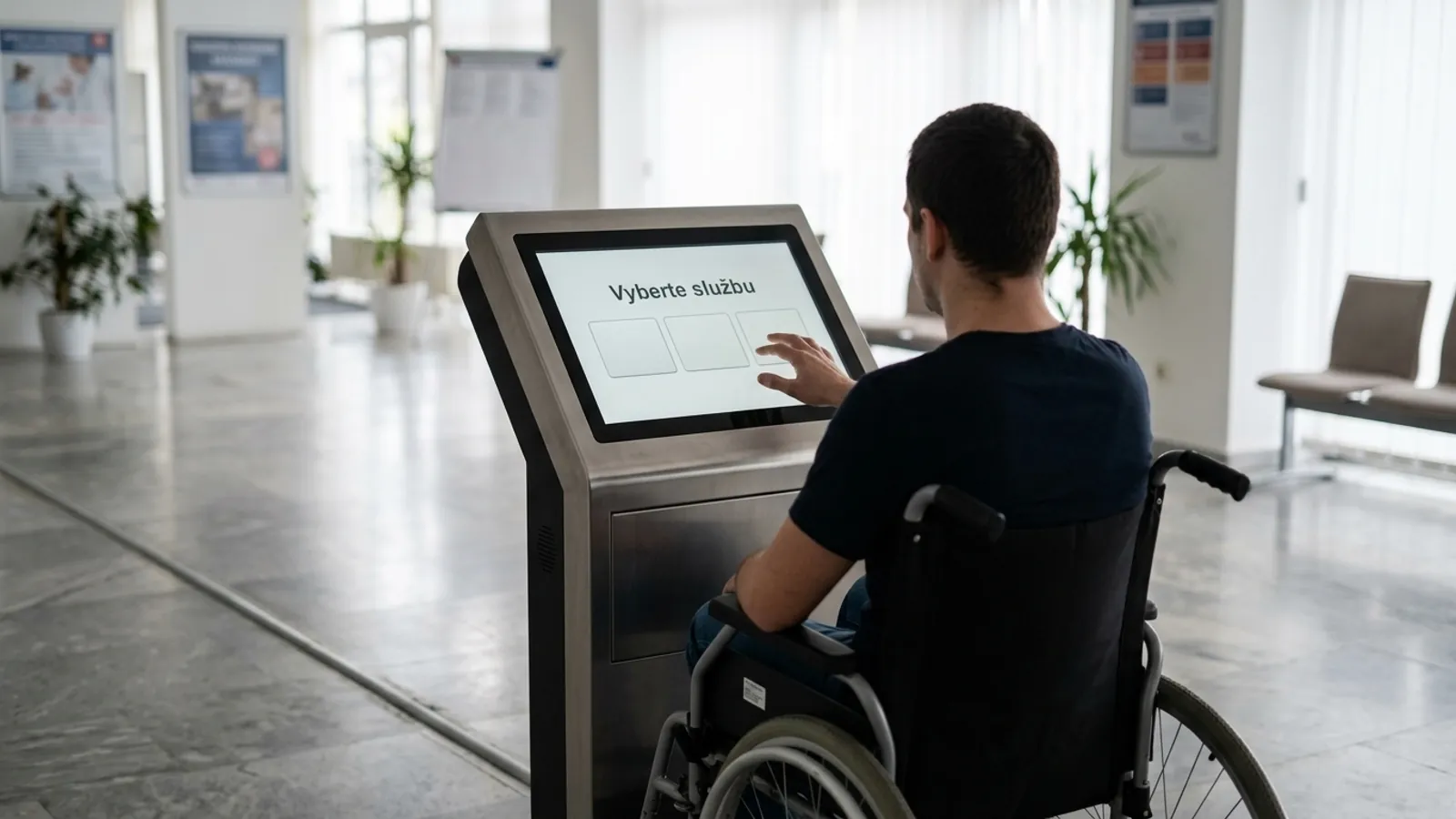
Since 28 June 2025 the European Accessibility Act, Directive (EU) 2019/882, applies to products placed on the market after that day (Article 2(1)).
It covers payment terminals and terminals made for the services the directive covers: cash machines, ticketing machines, check-in machines and interactive information terminals (Article 2(1)(b)).
In Slovakia it is set by Act No. 351/2022 Z. z. and Government Regulation No. 89/2026 Z. z. on technical accessibility requirements for products, effective from 30 May 2026.
A payment terminal is a self-service terminal there without any further condition (section 1(2)(b), point 1). The other kinds only if they are made for a service under special regulations.
- What the terminal must do: read text aloud (Annex I of the directive), personal headsets with a microphone, a way to extend the time limit, recognisable controls by contrast and by touch, and privacy when accessibility features are used (Annex 1 of Regulation No. 89/2026 Z. z.).
- Older terminals: a terminal that a service provider used before 28 June 2025 may be used for similar services until the end of its life, for no more than 20 years from first use (section 16 of Regulation No. 89/2026 Z. z.).
- Microenterprises: Act No. 351/2022 Z. z. does not apply to services provided by microenterprises, that is businesses with fewer than 10 people and turnover or balance sheet up to 2 million euro (section 2(3)). A microenterprise that makes or sells devices has lighter duties under the directive (Article 14(4)), not a full exemption.
- Supervision: carried out by the Slovak Trade Inspection (sections 8 and 9).
How to make a kiosk usable for everyone
The Belgian accessibility body names speech output as the most obvious solution. It advises putting the headphone socket in a place that is easy to find, choosing an easy to read high-contrast font and allowing ample time for every step. When the screen switches off for privacy, spoken instructions take over.
We start from these principles when designing a kiosk. We promise nothing in advance about certification, the CE marking or conformity with the European Accessibility Act. The documents for the device and who answers for them will be stated in the offer.
What to prepare on site
The figures below come from manufacturer guides and data sheets. The exact values for the delivered model are in the offer.
- Power: a socket near the kiosk, easy to reach and grounded. The data sheet of one 24-inch kiosk gives 88 W in operation and 0.5 W in power-saving mode.
- Network: an ethernet cable to the RJ45 port in the housing, or Wi-Fi. One guide says lines inside a building belong in a grounded conduit.
- Anchoring: according to one manufacturer's guide a floor kiosk is anchored with at least four bolts into concrete. Dimensions for a concrete model are in its manual.
- Space: doors and panels must be able to open, and the device must be reachable comfortably and without obstacles.
- Environment: the data sheet of the 24-inch model gives 0 to 40 °C and humidity of 10 to 80 % without condensation, that is indoor use only.
- Cleaning: one guide suggests cleaning the screen, scanner and housing weekly, calibrating touch and updating software monthly, and checking hardware quarterly. It also mentions refilling printer paper. It is not a standard.
Comparison of kiosk types
The table summarises which kind of kiosk fits where and what it connects to. It has no price, because the price depends on the premises and on what the kiosk should do.
| Kiosk type | What it is for | Where it fits | Typical parts | What it connects to |
|---|---|---|---|---|
| Self-checkoutshop | The customer scans goods, pays and takes a receipt | A shop that already has an eKasa cash register | Screen, code scanner, payment terminal, receipt printer | Cash register and stock records |
| Self-ordering kioskgastro | The customer picks dishes, pays and the order goes to the kitchen | Restaurant, snack bar, cafe | Screen, payment terminal, receipt printer | Cash register and kitchen screen |
| Information kiosklobby | Shows a directory, a map and forms | Office, clinic, shopping centre | Screen and computer, no payment needed | Content or a database you manage |
| Check-in kiosk | A guest or patient registers on arrival | Hotel, clinic, event | Screen, optionally a printer | A booking or registration system |
Scroll the table sideways.
What to watch with a self-checkout
A study of self-checkouts led by Prof. Matt Hopkins of the University of Leicester, covering 39 retailers, found that theft losses rose by 22 % on average in the year after installation. An article about it appeared on 17 June 2026.
According to the same article, mis-scanning affected 1 % to 4.8 % of transactions, and walkaways caused the highest loss by value, averaging 88 euro. An older paper from 2011 found little effect on losses. We therefore promise nothing about lower losses.
A survey by the company AKO from February 2026 found that almost half of users are aged 18 to 33 and that customers aged 66 and older use them least. Keep a staffed till next to the kiosk.
How the work goes
Work starts with an intro call and continues with a written offer with a fixed scope.
- 1Free intro call. We talk about what the kiosk should do, what premises you have and which cash register or ordering system it should connect to.
- 2A written offer with a fixed scope. You receive a description of the device, software, connection, installation and service together with the price, without hourly billing.
- 3Delivery and installation. We install the device and connect it to your cash register or ordering system.
- 4Service. The scope of service is part of the offer.
Where the data on this page comes from
We read the statements about laws, kiosks and studies in the sources on 18 November 2026. Data from manufacturers and suppliers are their own data, not independent measurements.
Sources:
- Guide to interactive kiosks (supplier)
- Data sheet of a 24-inch kiosk (display maker)
- Kiosk installation guide (payment device maker)
- Ordering software for kiosks (supplier)
- nexo, standards for payment terminals
- Financial Administration of the Slovak Republic, basic terms
- Financial Administration of the Slovak Republic, cashless payment
- Slov-Lex, Act No. 384/2025 Z. z. on recording of sales
- EUR-Lex, Directive (EU) 2019/882 on accessibility requirements
- Slov-Lex, Act No. 351/2022 Z. z. on accessibility of products and services
- Slov-Lex, Government Regulation No. 89/2026 Z. z.
- AnySurfer, self-service terminals and kiosks
- The Grocer, study on self-checkout losses
- US Justice Department, 2011 paper
- noviny.sk, who uses self-checkouts
Frequently asked questions
01How does a self-checkout differ from a self-ordering kiosk?
At a self-checkout the customer scans goods and pays in a shop. At a self-ordering kiosk the customer picks dishes or services and the order goes to the kitchen. The device is similar, the software and the link to the cash register or ordering system differ.
02Do you also sell eKasa cash registers?
No. Grew Studio supplies the kiosk, custom software and installation, and connects the kiosk to the cash register you already have. We do not sell cash registers or their software.
03Must sales from a kiosk be recorded through eKasa?
Under section 3(1) of Act No. 384/2025 Z. z. the seller must record takings through an eKasa cash register. The exemption in section 3(2) concerns vending machines. We found no source that a kiosk in a staffed business has it, so ask the Financial Administration.
04Must a kiosk accept card payment?
The duty from section 15(1) of Act No. 384/2025 Z. z. is the seller's: for takings above 1 euro the seller must allow cashless payment, from 1 May 2026, with exceptions in the act (for example an internet outage). A kiosk with a payment terminal makes that possible.
05Do accessibility rules apply to a kiosk?
A payment terminal in a new kiosk is named without a condition in Government Regulation No. 89/2026 Z. z. For a shop or a restaurant it is an open legal question, for an information kiosk of an office or a carrier the scope is more likely. Microenterprises are exempt for services.
06Will self-checkouts reduce theft or queues?
We do not promise it. A study covering 39 retailers found that theft losses rose by 22 % on average in the year after installation. We found no independent study on shorter queues.
07What do I have to prepare on site?
A socket near the kiosk, a network by ethernet cable or Wi-Fi, a place for anchoring and enough space to reach the device and open its doors. The exact values for the delivered model are in the offer.
08How much does a kiosk cost?
We do not publish a price. You receive it in a written offer after the free intro call, once we know the premises and what the device should do.
You might also like
Want a kiosk linked to your cash register?
Book a free call with us. We talk about what the kiosk should do and you receive a written offer with a precise scope.