
A website and system for an attorney that saves her hours of admin
A new law office website and a system where clients send enquiries and documents and pay for services. The attorney has every case, message and payment on one screen instead of e-mails, phone calls and bank statements.
- Client
- JUDr. Lenka Nehezová, attorney
- Industry
- Legal services · Nitra
- What we did
- Website, client portal, administrative system, payments and invoices, design
- Status
- Website live, system launching in November 2026
Where the attorney saves hours
Work she used to do by hand that the system now does.
No chasing documents
Clients photograph and upload documents themselves. The system tells them what is still missing, so the attorney requests nothing by e-mail and copies nothing from attachments.
No checking bank statements
Clients pay in their own banking app with the transfer already filled in. The attorney confirms the payment with one click and the invoice is issued automatically.
Fewer status calls
Clients see in the portal where their case is and when it will be done. When the attorney needs something they get a text message, and an e-mail confirms the payment and the finished case.
One-click replies
Documents, messages and payment for a case are on one screen. The attorney sends a finished case with one click, cover e-mail included.
Challenge
Enquiries came by e-mail, phone and messages. Documents arrived in pieces and in varying quality, payments had to be found in bank statements and clients called to ask how their case was going. Hours every week went to admin instead of legal work.
Solution
We built a new office website and a system in two parts. Clients get a portal on the web and on their phone: they send an enquiry, photograph documents, pay and follow the status. The attorney gets an admin area showing every case with deadlines, documents, messages and payments, and replies with one click.
Office website
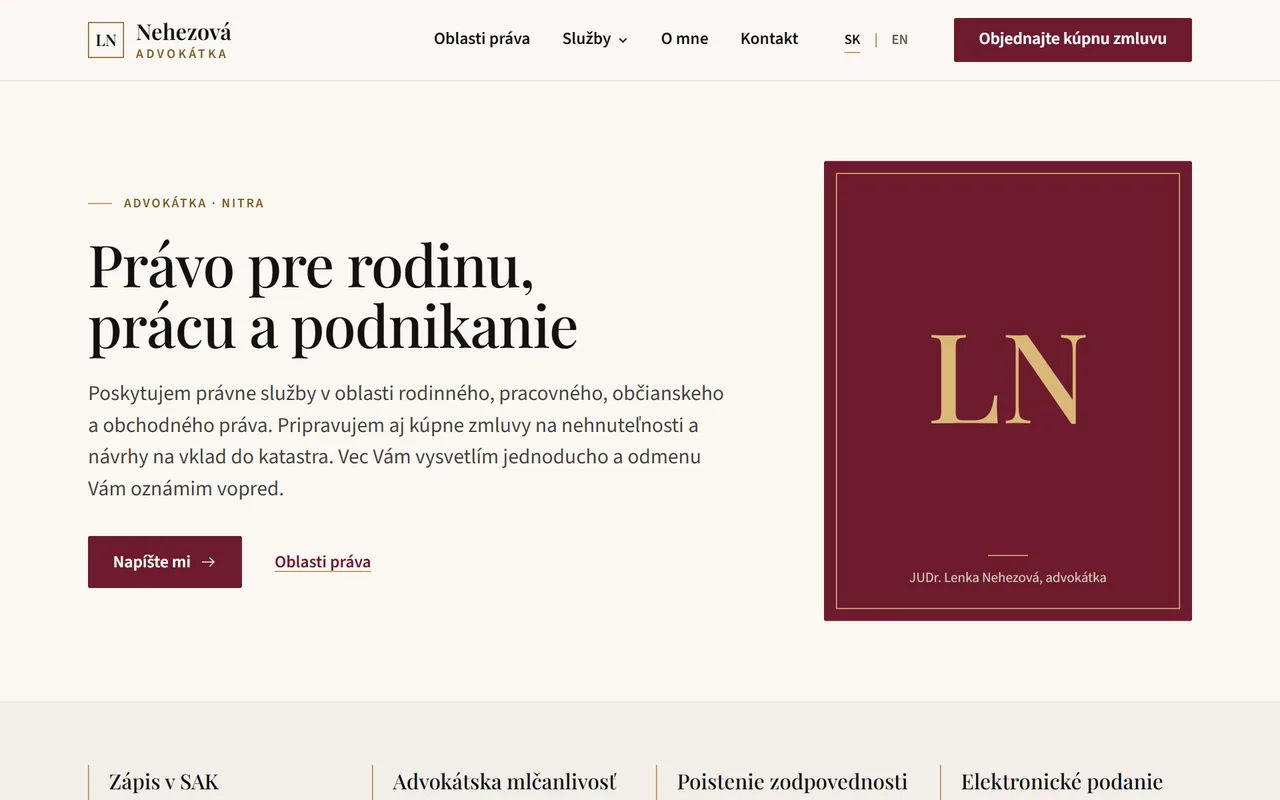
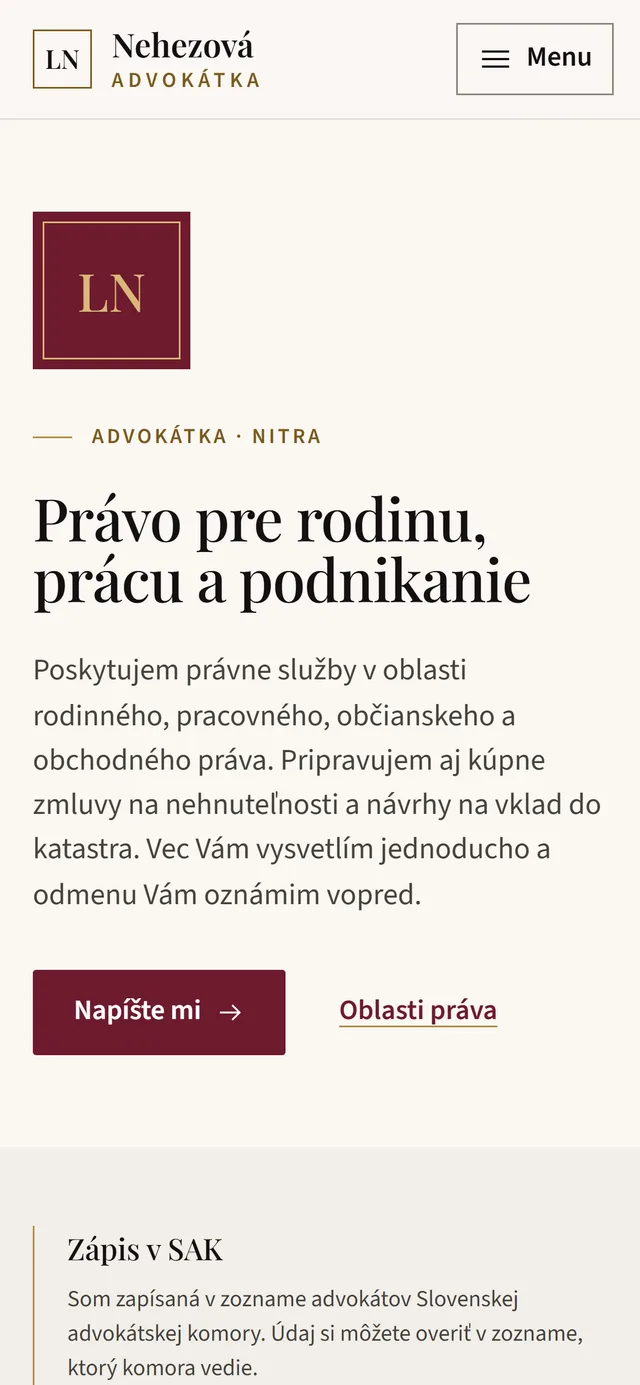
A website that shows what the attorney helps with
A calm, trustworthy design in burgundy and gold. Clients find practice areas, services and contact details straight away, on desktop and mobile.
- Practice areas and services clearly in one place
- Contact details and office address without searching
- Slovak and English versions
- Fast loading on mobile too
Client portal
Enquiry and documents from the phone
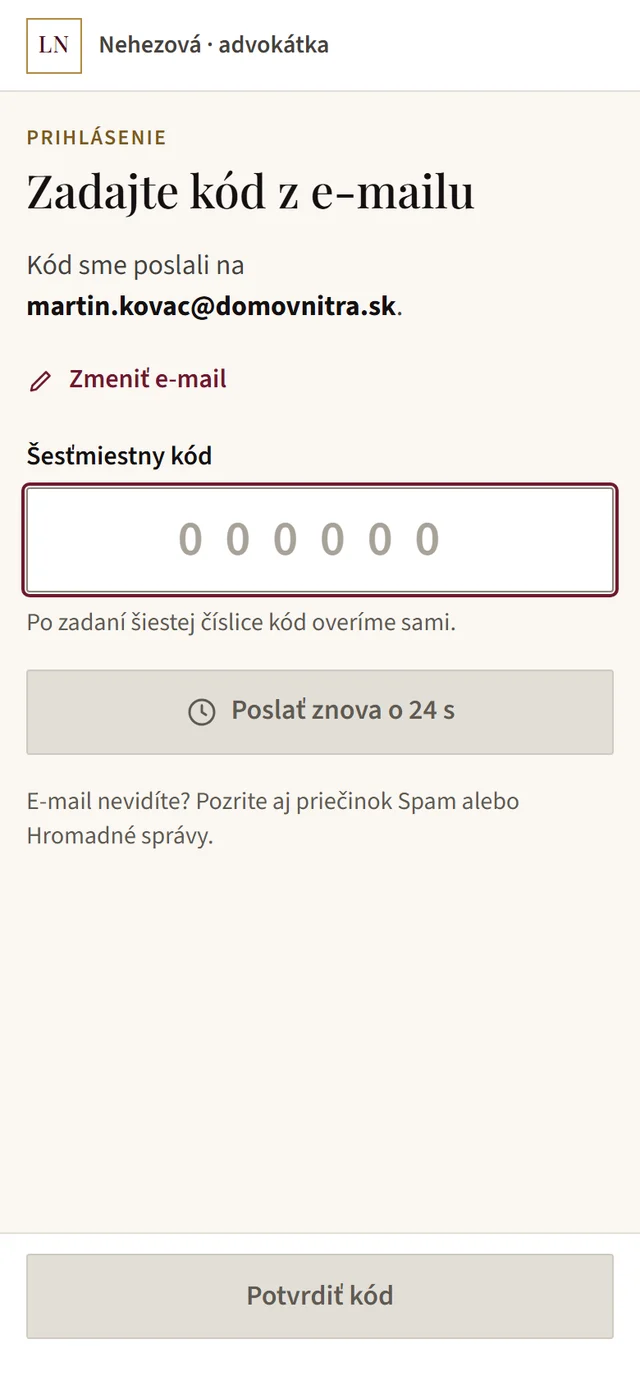
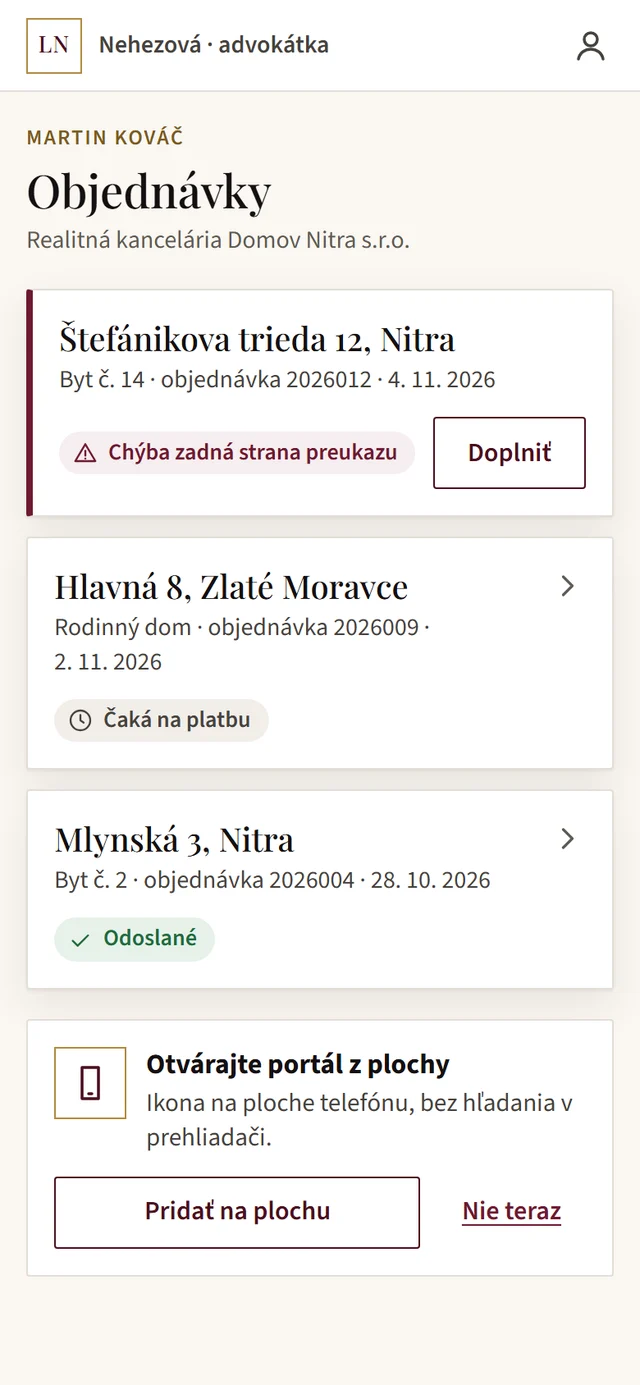
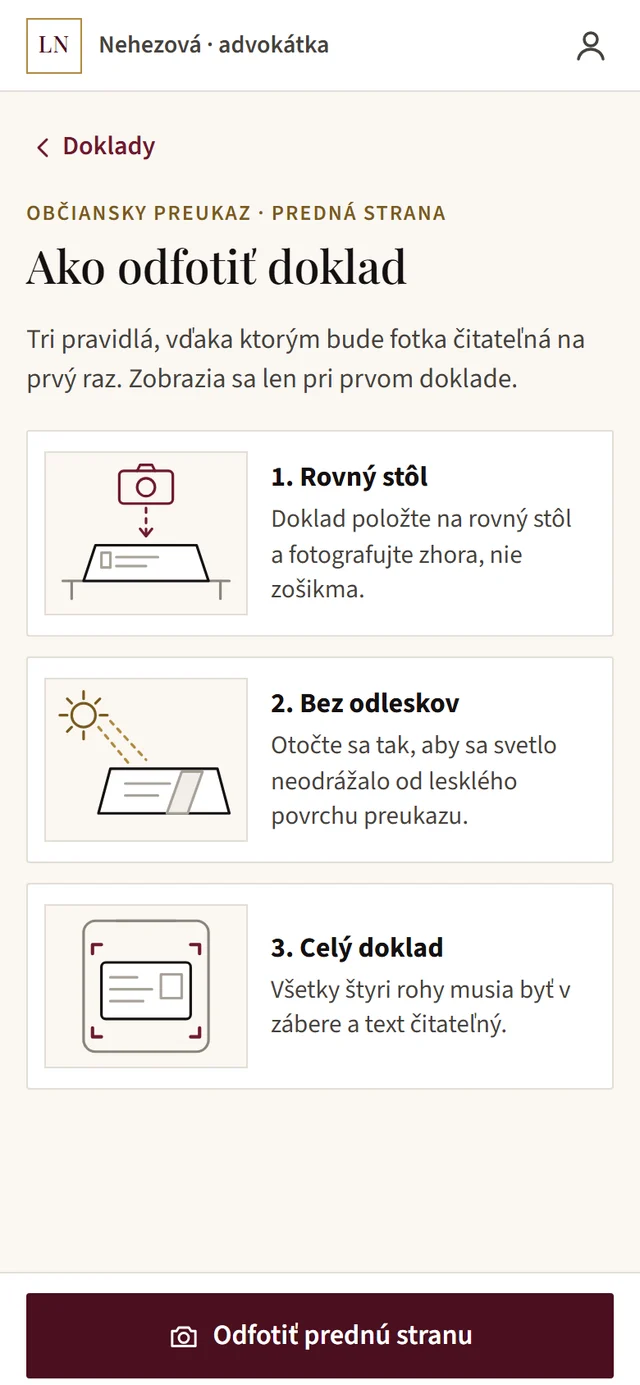
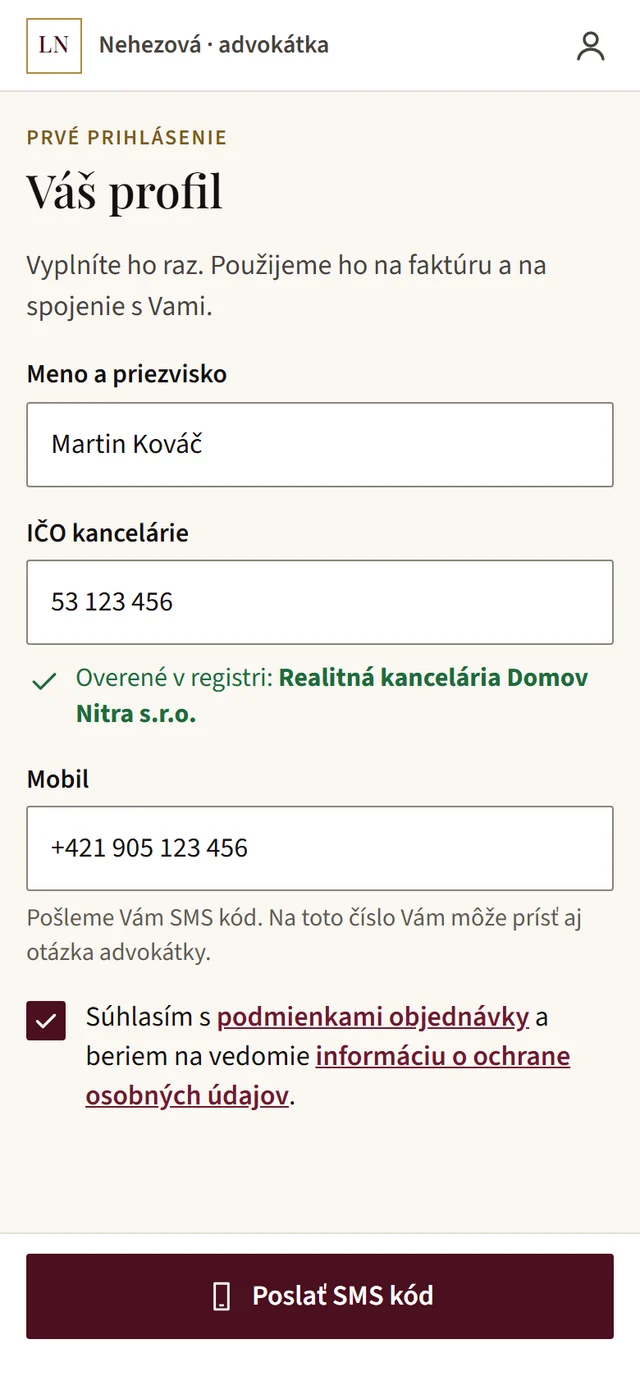
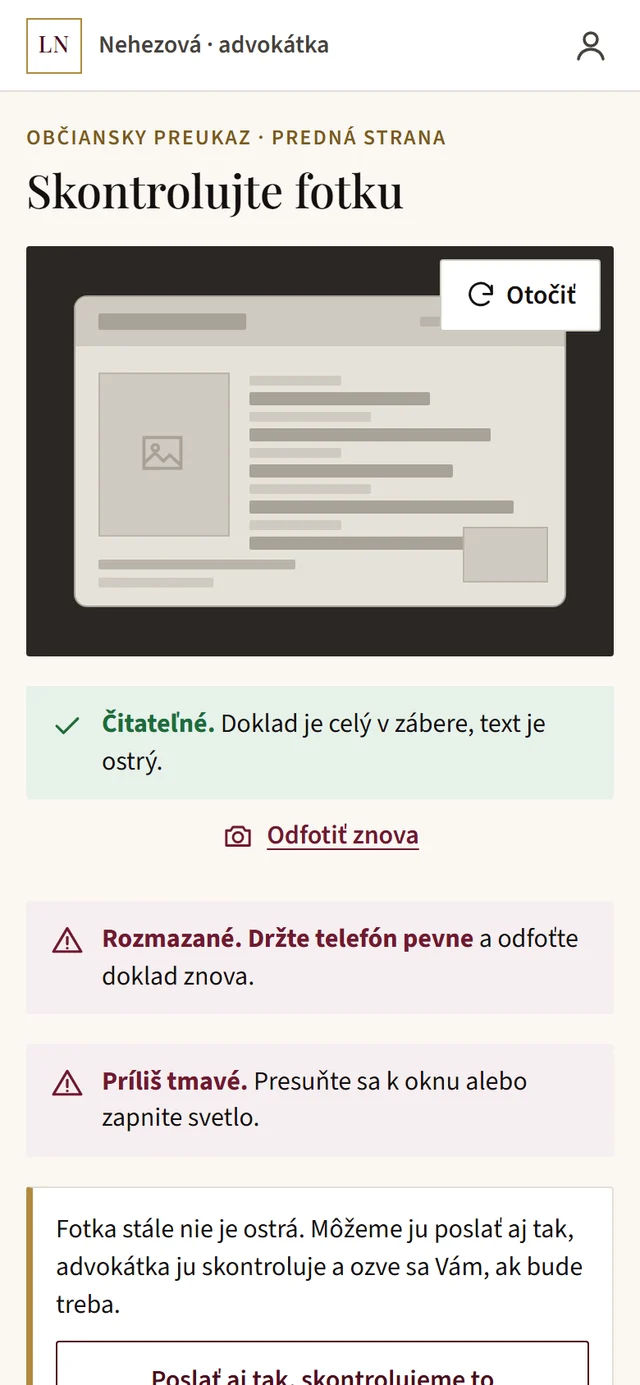
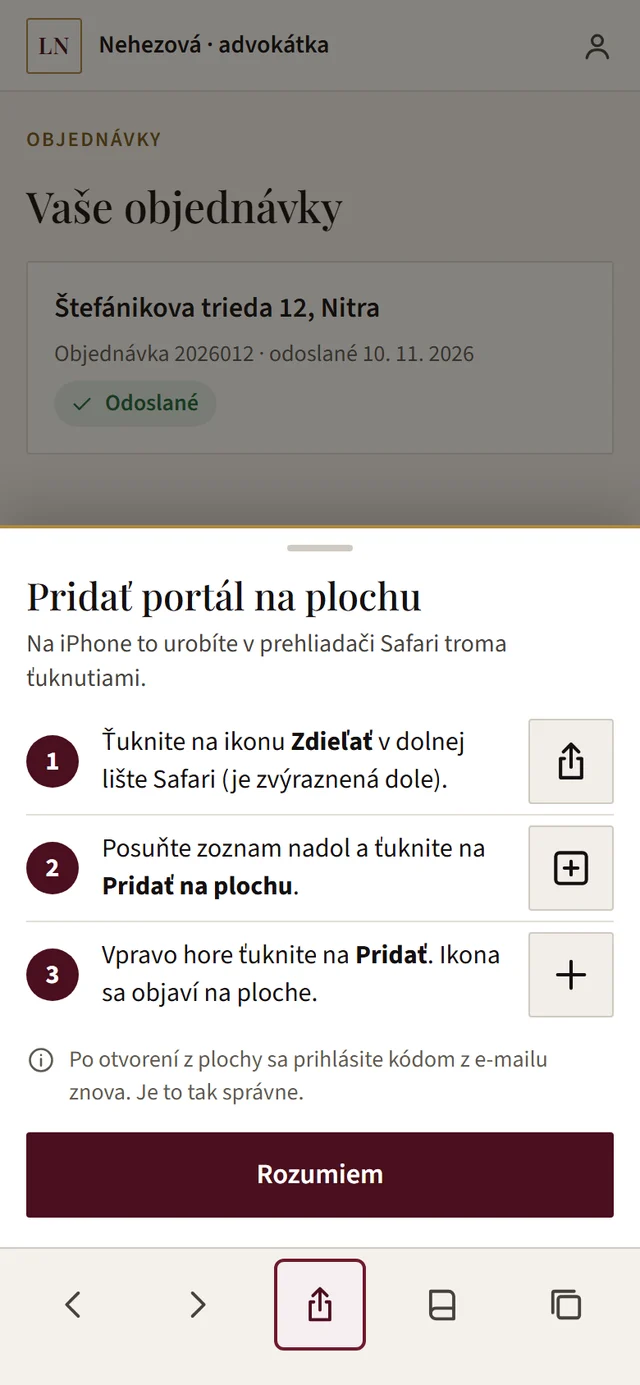
Clients log in with a code sent by e-mail, no password. They photograph documents right in the portal and the system checks that each photo is readable and what is still missing. The portal can be added to the phone's home screen like an app.
- Login with an e-mail code, no password
- Document photos with a readability check
- A list of what is still missing
- An icon on the home screen, no searching in the browser
Payments and invoices
Payment in the banking app, invoice by itself
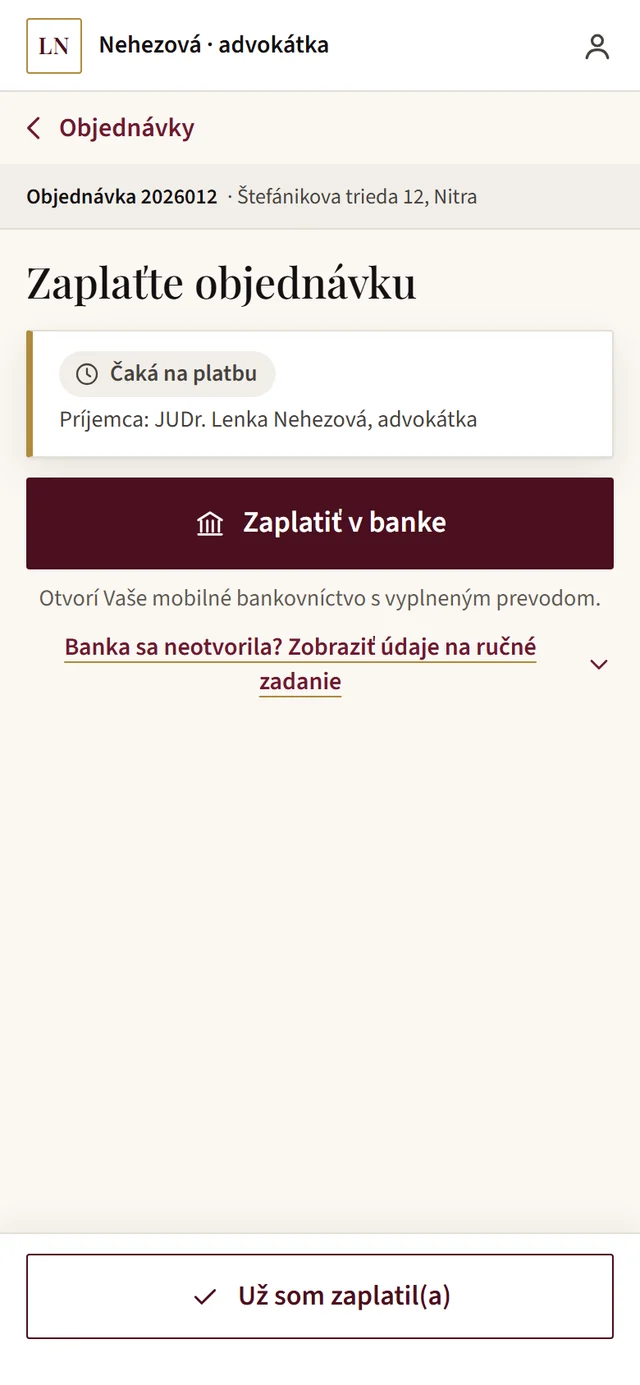
On the phone, the client taps Pay in your bank and their banking app opens with the transfer filled in. On a computer they scan a QR code. No payment gateway and no gateway fees. Once the attorney confirms the payment, the invoice is issued and sent automatically.
- Transfer pre-filled in the banking app
- Pay by square QR code on a computer
- Invoice and credit note with one click
- An overview of who has not paid yet
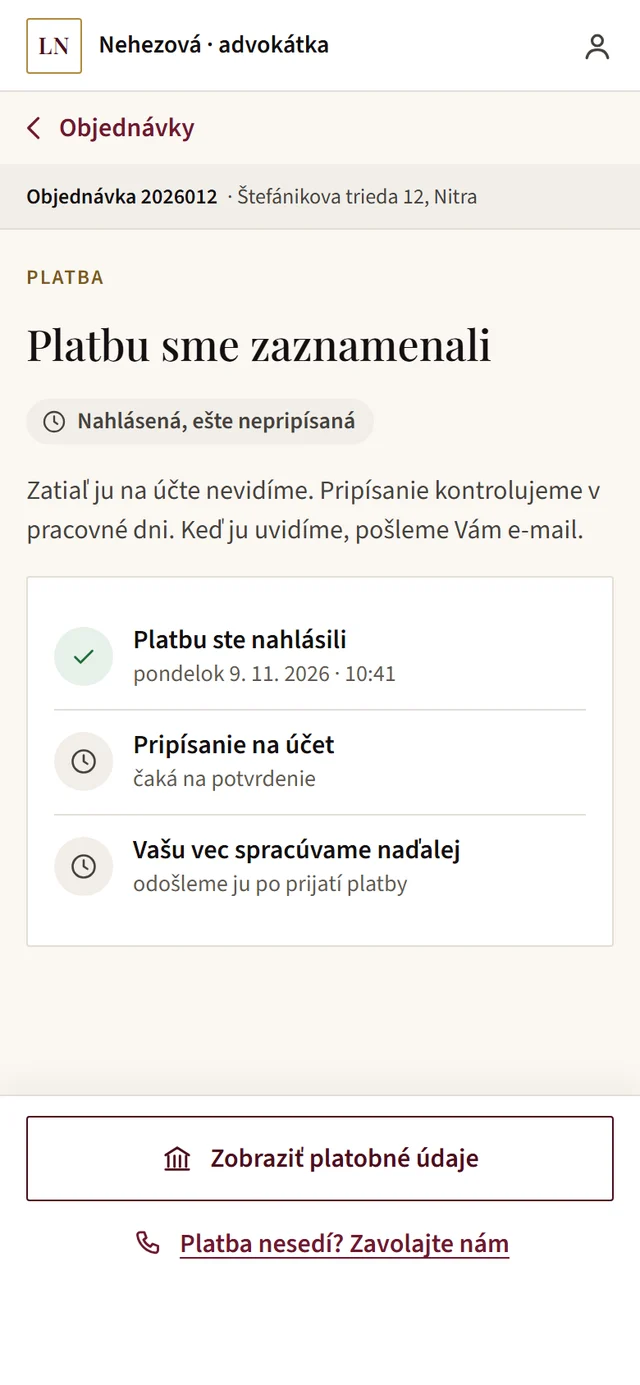
Case status
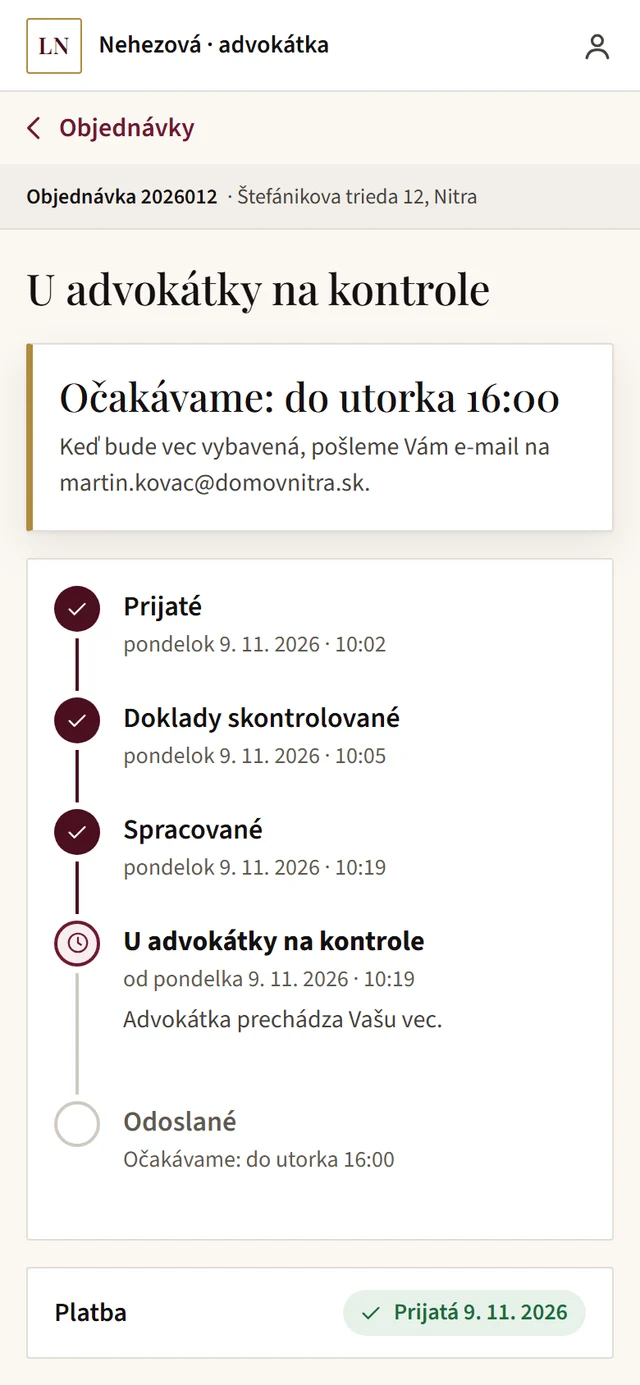
Clients see where their case is
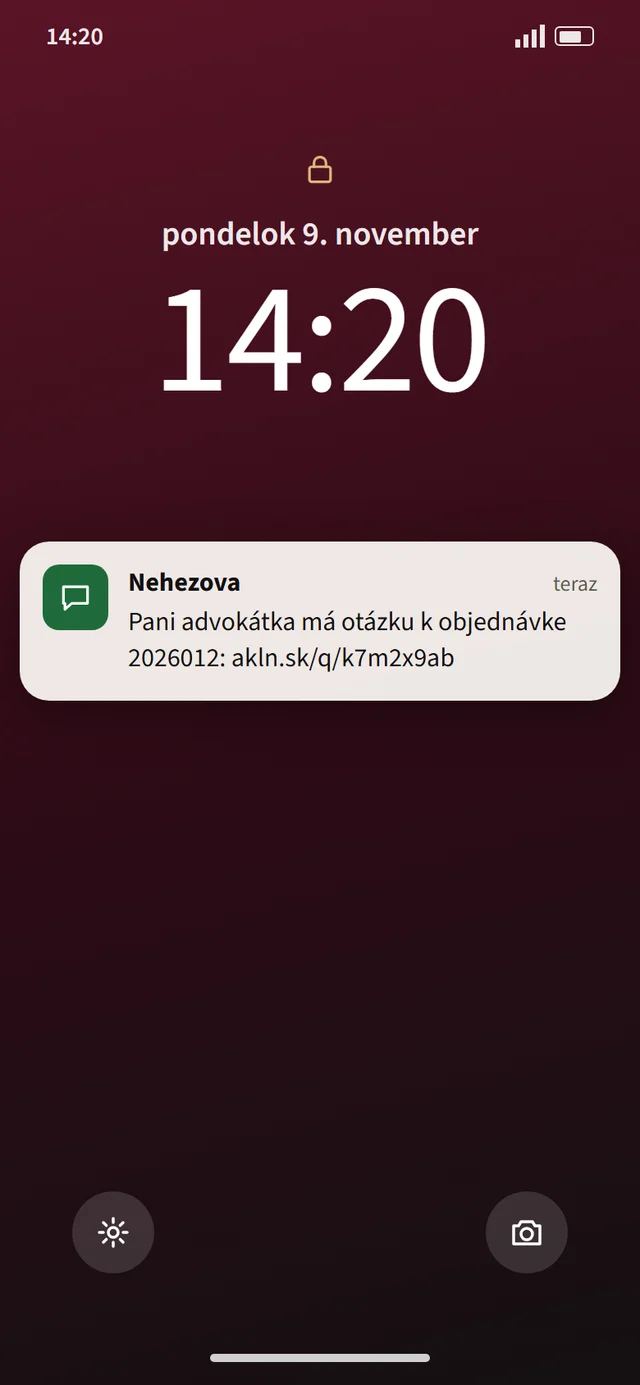
Instead of calling to ask how things are going, the client opens the portal. They see every step with its date and when the case will be done. When the attorney needs something, a text message with a link to the portal arrives.
- Case steps with date and time
- The deadline for completion
- A text when something is missing, an e-mail when it is done
- Payment status in the same place
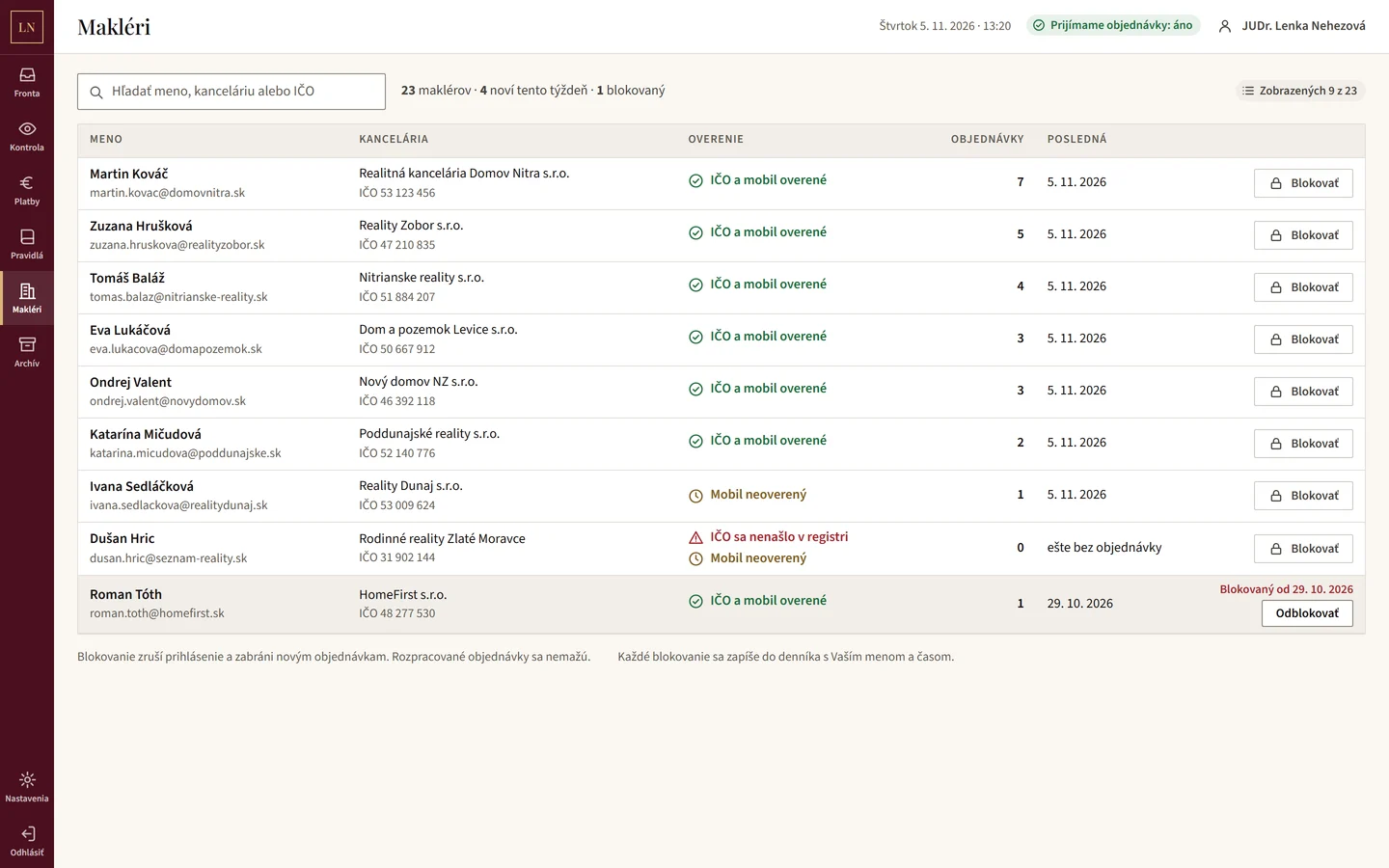
Admin
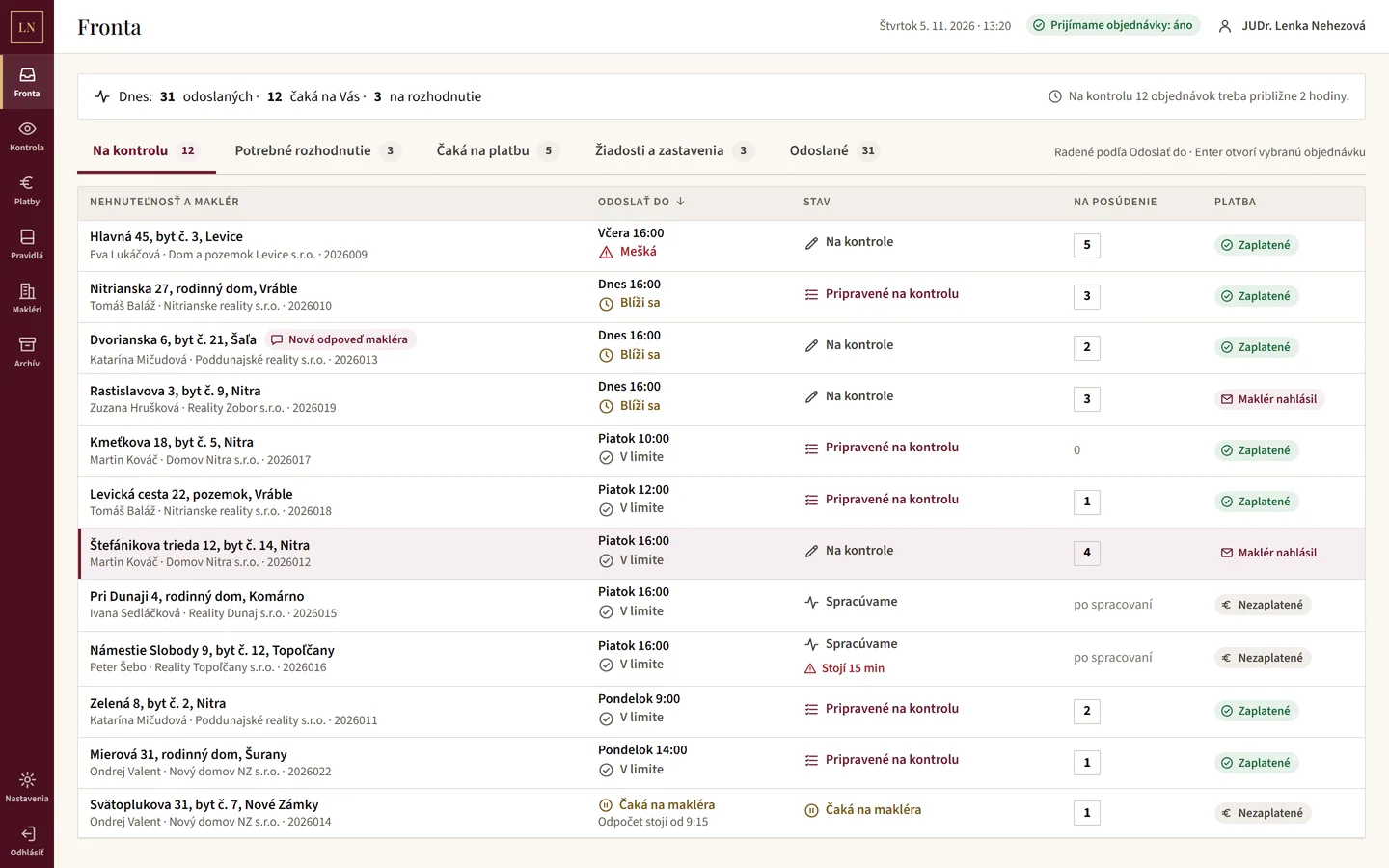
Every enquiry on one screen
The attorney sees all cases sorted by deadline, with document and payment status. She texts or e-mails the client straight from the case and sees whether the message was read. A finished case goes out with one click, cover e-mail included.
- A queue with deadlines and warnings about what is late
- Messages to clients by text and e-mail with delivery confirmation
- One-click sending with a cover e-mail
- An estimate of how long today's work will take
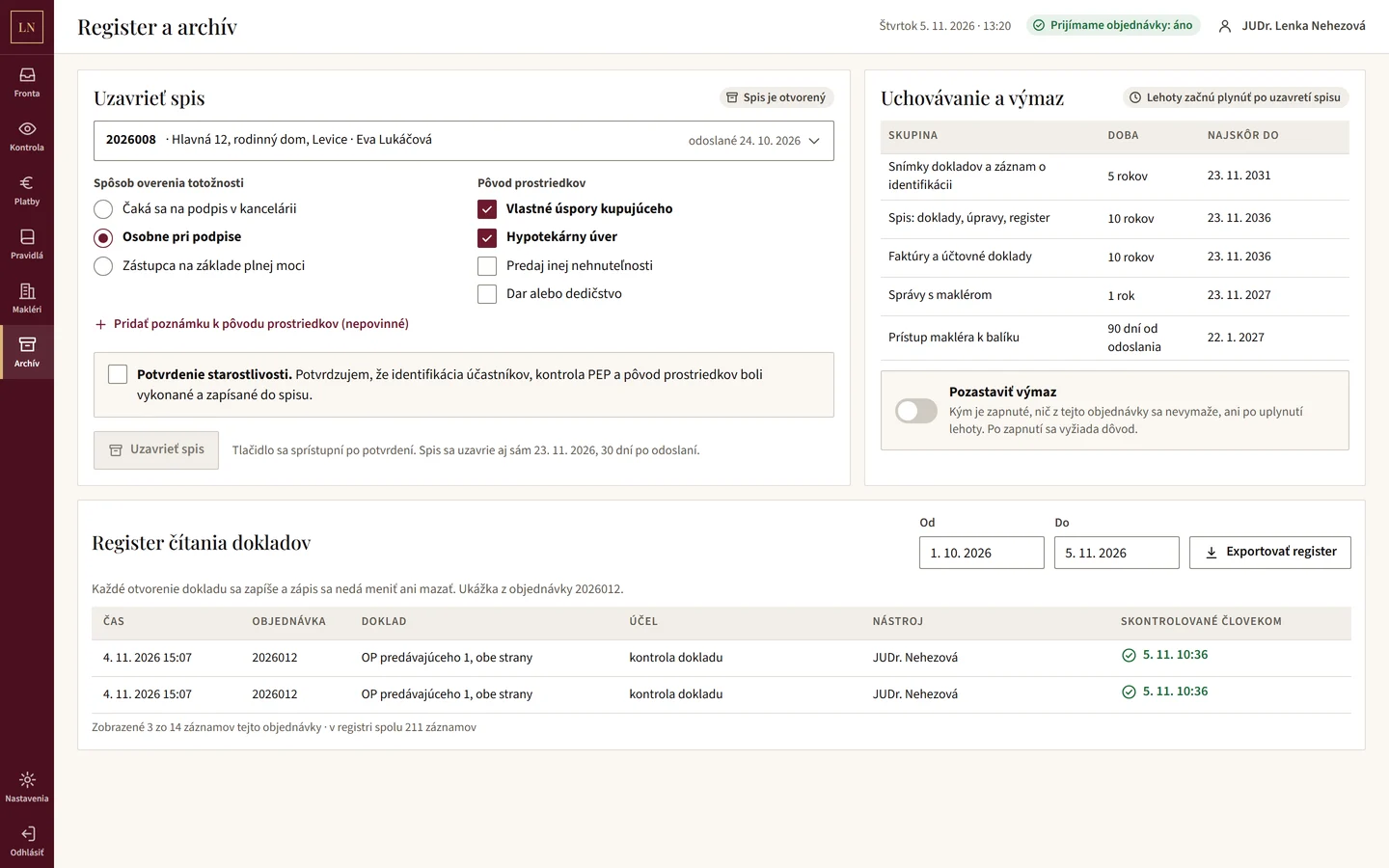
Security and archive
Personal data under control
The attorney works with clients' personal data. So the system logs every time a document is opened, keeps track of the legal retention periods and deletes the data when they run out.
- A document access log that cannot be changed
- Retention periods by document type
- Deletion when the period ends, with an option to pause it
- Data stored in the European Union
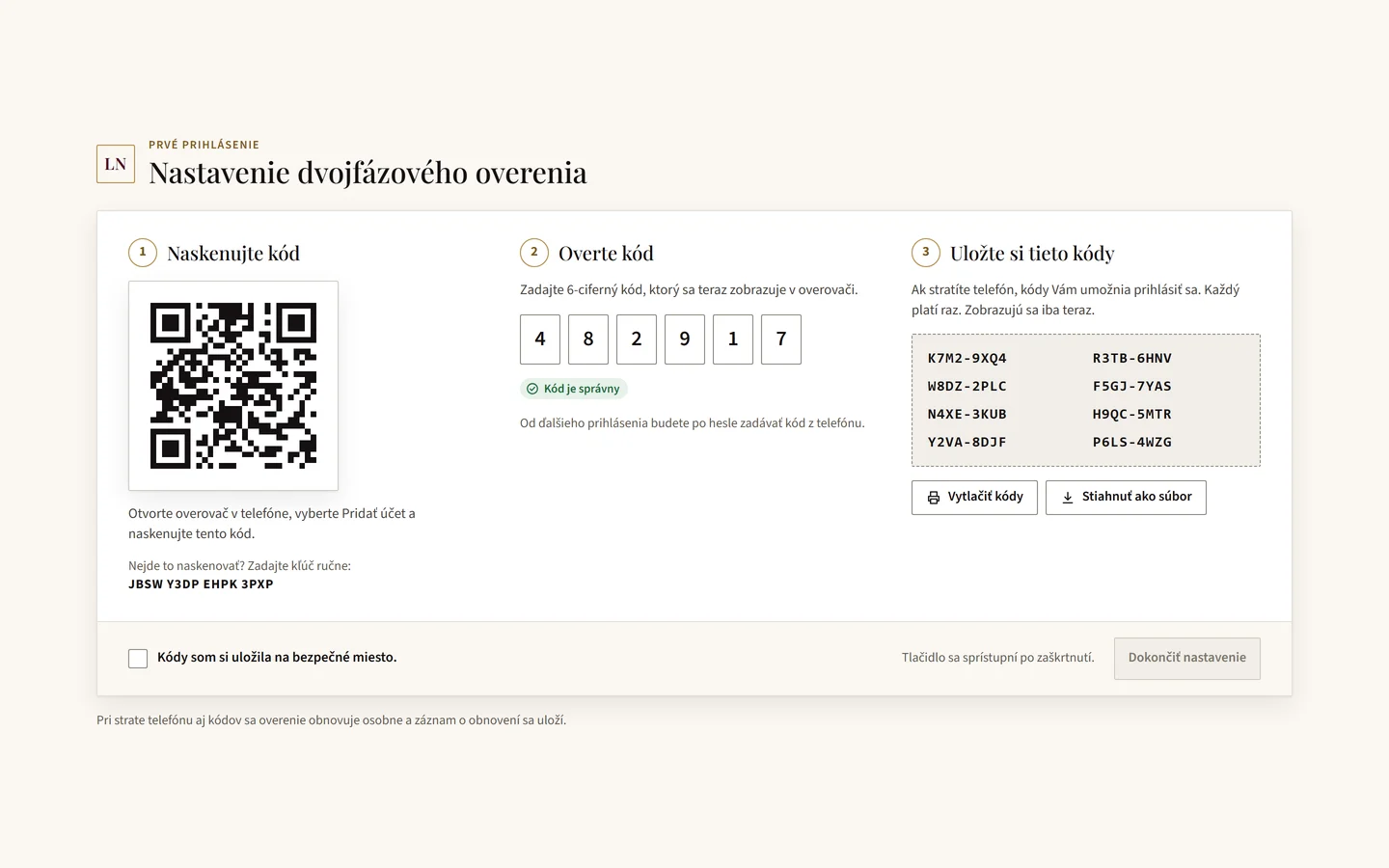
More portal screens
From the design we built the system from.
What we built and with what
- Website (Next.js, React, TypeScript)
- Client portal on the web and on the phone
- Login with an e-mail code
- Bank payments and Pay by square QR
- Invoices and credit notes
- Admin area for the attorney
- Messages by text and e-mail
- Database in the EU (Supabase)
Is admin slowing you down too?
Tell us where enquiries, documents and payments take most of your time. We will show you what a system can do for you.